
Download InstallAware Studio – software installation tool, Windows Installer, MSIcode scripting, setup development, rapid setup, no programming required, advanced installation packages, developer utility
Overview
InstallAware Studio is a specialized software installation tool designed for developers working with Windows Installer technology. Its primary purpose is to simplify and accelerate the creation of advanced installation packages, enabling users to deliver robust, reliable, and customizable setup experiences for Windows-based applications. The tool addresses common challenges in setup development, such as complex scripting, long build times, and steep learning curves, by offering a streamlined workflow that reduces dependency on deep programming expertise. This makes it particularly valuable for software teams aiming to maintain consistent deployment standards while meeting tight project deadlines.
Target users include professional developers, software engineering teams, and IT departments within organizations that regularly deploy Windows applications. The tool is especially beneficial for businesses that require frequent updates, complex installation logic, or enterprise-level deployment control. Real-world use cases range from packaging commercial desktop software to managing large-scale internal tool deployments. In the broader software development ecosystem, InstallAware Studio plays a critical role in improving the quality and efficiency of the final delivery phase, ensuring that end users receive a seamless installation experience.
The developer, InstallAware, has established a reputation for creating focused, high-performance tools tailored to Windows deployment workflows. While specific company background details were not provided, the tool’s design and feature set suggest a strong commitment to developer productivity and technical precision. The application is positioned as a utility for technical professionals, not a consumer-facing product.
Key Features & Functionality
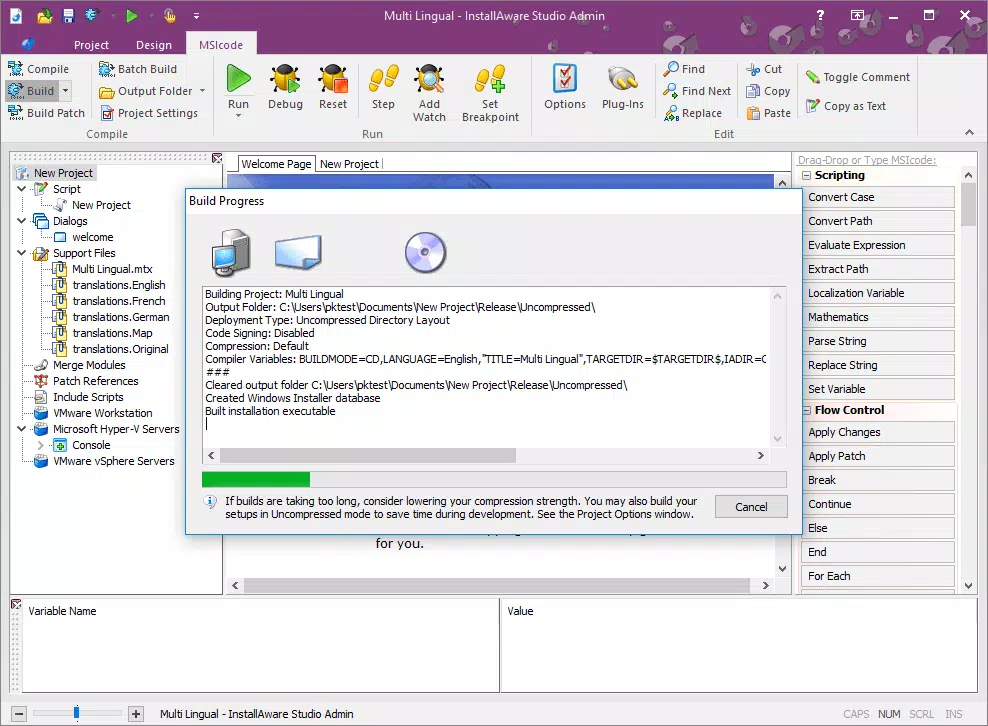
- MSIcode Scripting: InstallAware Studio introduces MSIcode, a proprietary scripting language that simplifies the automation of installation tasks. This feature enables developers to define custom actions, file operations, registry changes, and conditional logic without writing complex Windows Installer XML (WiX) or C++ code. For example, a developer can script a custom dialog that checks for specific system configurations before proceeding with installation.
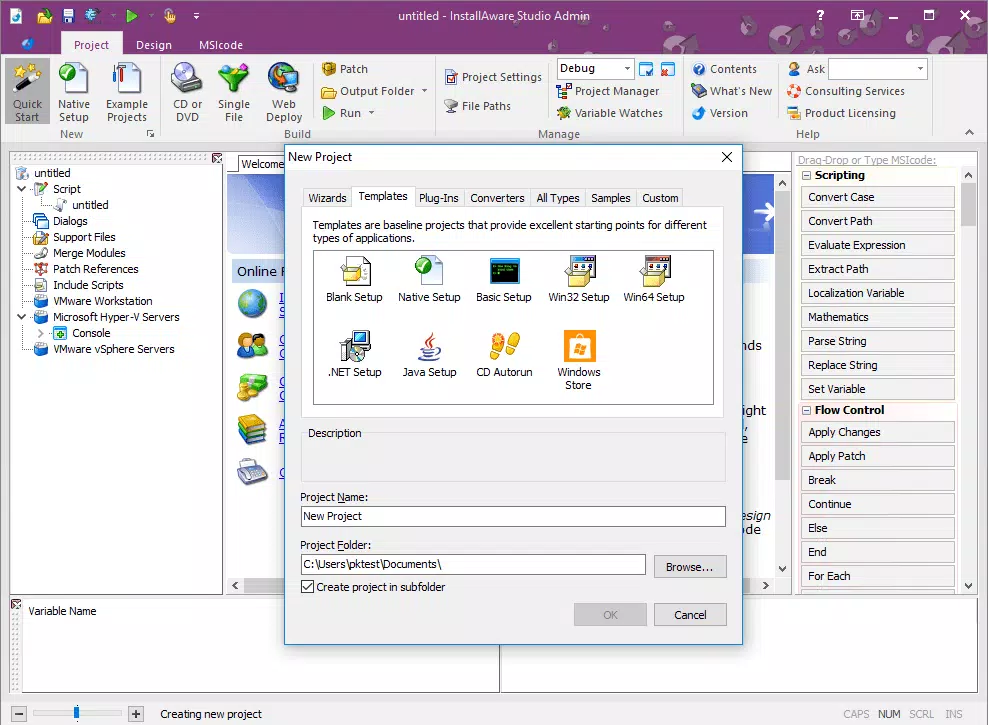
- Rapid Setup Development: The tool is engineered to reduce the time required to build installation packages. By providing pre-built templates, drag-and-drop components, and intelligent defaults, developers can generate feature-rich installers in a fraction of the time typically needed with manual setup tools. This is ideal for agile teams or projects with tight release schedules.
- No Programming Required: A key differentiator is the tool’s accessibility. Users without formal programming experience can create sophisticated installation packages using visual workflows and guided configuration. This lowers the barrier to entry for junior developers, QA engineers, or non-technical team members involved in deployment tasks.
- Latest Technology Support: InstallAware Studio maintains compatibility with current and emerging Windows features, including support for UAC, modern file system permissions, and Windows 11-specific deployment requirements. This ensures that generated installers remain secure and functional across evolving operating system environments.
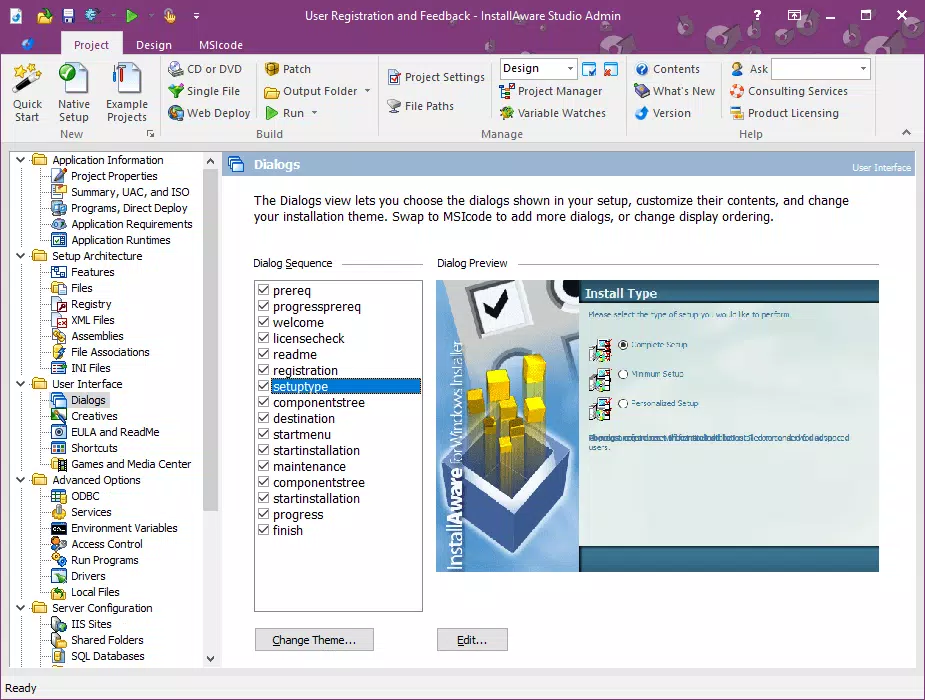
- User-Friendly Interface: The interface is designed with usability in mind, offering a clean layout with logical navigation. Developers can easily switch between design, scripting, and testing views, with contextual help and real-time validation to minimize errors during setup creation.
Interface, UX & Performance
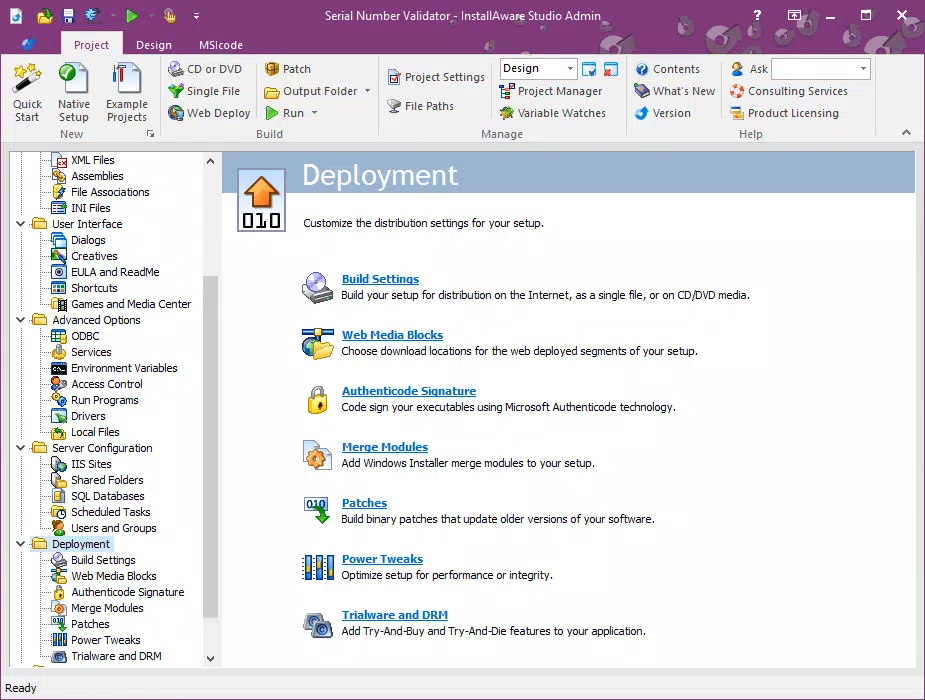
The interface of InstallAware Studio reflects a professional-grade development environment, combining visual layout tools with advanced scripting capabilities. The UI is organized into panels that allow users to manage components, files, registry entries, and custom actions in a structured manner. Navigation is consistent, with clear menus and toolbars that facilitate quick access to essential functions. The layout supports multiple monitor setups, enhancing productivity for developers working on complex projects.
Although the developer did not list formal performance metrics, the tool’s design emphasizes responsiveness during large-scale project builds. Users can expect smooth interactions when editing installation scripts or previewing setup behavior. Stability appears to be a priority, with built-in error detection and rollback mechanisms for failed configurations. The application maintains consistent performance across various device categories, including high-end workstations and mid-tier development machines.
While specific requirements for system memory, CPU, or disk space were not disclosed, the 1.2 GB file size suggests it is a resource-intensive application suited for desktop environments. The tool is designed for long-term use in development workflows, and its performance is likely optimized for sustained operation during extended coding and testing sessions.
Platform Compatibility & Technical Requirements
InstallAware Studio is available exclusively for the Windows platform. It is compatible with modern Windows operating systems, though specific version requirements were not listed by the developer. The application requires a minimum of 1.2 GB of disk space for installation, which is typical for development tools with extensive libraries and documentation.
Given the nature of the software, it is intended for use on desktop systems rather than mobile devices. The tool does not support iOS or Android platforms, and no information was provided regarding compatibility with Windows Server or virtualized environments. The developer did not specify minimum OS requirements, so users should ensure their system meets general Windows development standards.
Pros and Cons
Pros
- Streamlines complex installation package creation with intuitive workflows
- Enables rapid setup development without extensive coding
- MSIcode scripting provides flexibility and customization options
- Supports modern Windows environments and security standards
- Accessible to users with minimal programming experience
Cons
- High price point may limit adoption by small teams or individual developers
- Platform is restricted to Windows, with no support for cross-platform deployment
- Specific technical requirements were not disclosed
- Not suitable for mobile or web-based application packaging
- Requires a dedicated desktop environment for optimal performance
FAQ
Is InstallAware Studio safe to download and use?
Yes, the application is distributed by the official developer, InstallAware. As long as it is downloaded from the verified source, it is considered secure for use in professional development environments.
Can I use InstallAware Studio for free?
No, the tool is a commercial product priced at $995.00. There is no free version or trial period mentioned in the provided information.
Is InstallAware Studio compatible with Windows 11?
The tool is designed for modern Windows environments, including Windows 11. While specific compatibility details were not listed, its support for latest technology suggests it functions on current Windows versions.
Does InstallAware Studio support updates?
Yes, the software is regularly updated to maintain compatibility with new Windows features and security standards. The latest version, 2024.2, was released on April 15, 2024.
Can I install InstallAware Studio on a Mac or Linux system?
No, the application is designed exclusively for Windows. It does not support macOS or Linux operating systems, and no cross-platform version is available.
Final Thoughts
InstallAware Studio stands out as a powerful, specialized tool for developers focused on creating advanced Windows installation packages. Its combination of MSIcode scripting, rapid development workflows, and accessibility for non-programmers makes it a compelling choice for teams aiming to improve the efficiency and reliability of their software delivery process. While the high price and platform-specific nature may limit its reach, it delivers clear value to organizations that prioritize consistent, secure, and scalable deployment solutions.
For professional developers, software engineering teams, and IT departments managing enterprise software releases, InstallAware Studio offers a robust, future-ready platform for setup development. Its ability to reduce development time while maintaining high standards of quality positions it as a critical asset in modern software workflows.
Download InstallAware Studio now


